Zero Password chaos.
Your employees log in with their existing company access data.
100% less password chaos.
100% more security.
1,000+ suppliers
To the supplier overview



















All functions in the SSO package at a glance
-
Integrate Single Sign-On (SAML 2.0) with your corporate identity provider for secure, passwordless authentication with simple system.
-
SAML 2.0 Single Sign-On is an integration service that enables passwordless authentication in simple system. The integration is carried out in close cooperation with the simple system support team via a 3-step setup project.
The process begins with the exchange of SAML metadata between the customer's identity provider (IdP) (e.g. Azure AD, Okta, Google Workspace) and simple system as a service provider (SP).
Step 1 comprises the exchange of the IdP metadata URL and the simple system SP metadata URI.
In step 2, the IdP is configured to sign SAML assertions, set the correct redirects and map the identity email.
Step 3 is the completion: After successful configuration, each SSO user receives a dedicated login link that users can use to authenticate themselves directly with simple system - without a separate password. SSO integration is not a UI feature in simple system, but a backend integration service that is administered externally.
-
- SAML 2.0 protocol (Security Assertion Markup Language)
- Service Provider (SP) model: simple system as SP
- Identity Provider (IdP) integration: Azure AD, Okta, Google Workspace, etc.
- Exchange of SAML metadata and configuration parameters
- Dedicated SSO login links for each user
- No password storage in simple system for SSO users
- Secure, encrypted authentication assertions
-
-
Elimination of separate simple system passwords for all SSO users
-
Centralized authentication control by IdP instead of decentralized
-
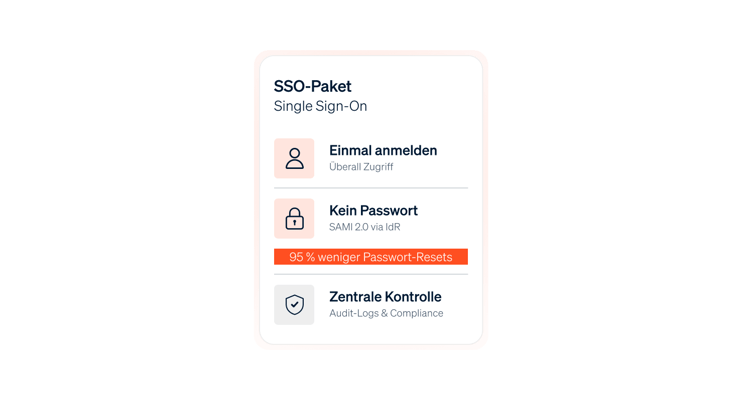
Reduction of password reset requests by 95
-
Security: Two-factor authentication via IdP (e.g. Okta, Azure MFA)
-
Faster user provisioning through automatic user creation
-
Compliance: Seamless integration with corporate IAM policies
-
Costs per user management reduced by up to 70%
-
-
Connect your company-wide identity provider with simple system - Azure AD, Okta, Google Workspace and other SSO systems.
-
The identity provider connection is the central configuration step in the SSO integration process. As a service provider, simple system uses the authentication data of the customer IdP to authenticate users without a password.
In step 2 of the setup project, the IdP is configured to send SAML assertions to simple system. This includes setting the assertion signing (certificates and keys), configuring the redirect URLs (ACS/Assertion Consumer Service) and mapping the user identity (e.g. email address as unique identifier). The simple system support team guides you through the configuration process and provides all required metadata URLs. After successful configuration, simple system automatically trusts the SAML assertions of the IdP and authenticates users based on their IdP credentials.
Supported identity providers are: Microsoft Azure AD, Okta, Google Workspace, Ping Identity, Keycloak and other SAML 2.0-compatible systems.
-
- Support for Microsoft Azure AD (Microsoft Entra ID)
- Support for Okta Universal Directory
- Support for Google Workspace Identity
- Support for Ping Identity, OneLogin, Keycloak
- SAML 2.0 Metadata Exchange (XML-based)
- Assertion signing and encryption (X.509 certificates)
- User Identity Mapping (Email, Username, EmployeeID)
-
- Centralized identity management: one identity provider for all systems
- Termination of user accounts in the IdP = automatic deactivation in simple system
- Consistent security policies across all SaaS applications
- No password duplication across multiple systems
- Simplified audit trails: all login events can be traced in the IdP
- Faster M&A integrations through error-tolerant identity federation
-
User accounts are created automatically when they log in via SSO for the first time - no more manual effort for IT teams.
-
Automatic user provisioning greatly simplifies user lifecycle management. When a user logs in for the first time via the SSO login link, their account is automatically created in simple system based on the SAML attributes provided by the IdP (typically email address, first name, last name, department).
The user can work with simple system immediately after the first SSO login without an administrator having to create the account manually. The user attributes (name, email address, department) can optionally be synchronized with the IdP.
Important here: If a user is deactivated in the IdP, the login is automatically blocked - existing order data and audit trail files remain in the system, but access is terminated immediately. This reduces the administrative effort for user management by up to 90% compared to manual processes.
-
- Automatic account creation on first SSO login
- SAML attribute mapping (e-mail, name, department, etc.)
- No manual user management activities required
- Automatic synchronization of user attributes
- Automatic deactivation when IdP user is deactivated
- Immediate access after onboarding in the IdP
- Complete audit trail for all user lifecycle events
-
- Personnel cost savings: 0.5-1 FTE for user administration per 500 employees
- Faster onboarding: employees receive access in <5 min instead of <1 day
- Reduction of access request tickets by 90%
- Automatic offboarding on departure (no forgotten account)
- Error reduction through automation: -99% incorrect authorizations
- Savings per employee: ~€200/yearfor management overhead
-
Central security control: two-factor authentication, session management and protection against compromise, all controlled via the IdP.
-
SSO offers considerable security advantages over password-based systems. Authentication takes place exclusively via the IdP (e.g. Azure AD with MFA), not directly in the platform. As no passwords are stored, user credentials remainprotected even in the event of a data leak.
The security standard is controlled centrally by the IdP: If this is configured with two-factor authentication (2FA) or multi-factor authentication (MFA), this protection also automatically takes effect for all logins. This enables compliancewith ITGC, ISO 27001 and other standards. Session management is carried out via SAML tokens with configurable expiry times.
If a user account is compromised, the IdP administrator can deactivate it immediately. The login is then immediately blocked without the need for additional configuration steps. This significantly shortens the time between detection and mitigation of security risks.
-
- No password storage in simple system (passwords in the IdP)
- Two-factor authentication (2FA) / multi-factor authentication (MFA) via IdP
- SAML assertion signing with X.509 certificates (encryption)
- Session timeout and token expiry configurable
- Central deactivation in the IdP = immediate blocking in simple system
- Audit logging: All login attempts logged in the IdP and simple system
- Protection against phishing and credential leaks due to lack of password duplication
-
- Security risks: No password breaches possible in simple system
- Security incident response: <5 min instead of <30 min thanks to central control
- Compliance: ISO 27001, ITGC, GDPR-ready through IdP control
- Reduction of security incidents by 80% through elimination of password problems
- Elimination of credential leaks through password reuse (often 30-40% of all accounts)
- MFA security for all users without additional configuration in simple system
-
Administer and monitor the SSO integration. Manage login links, audit logs and session management in one central location.
-
SSO administration is managed by the IT team. After successful setup, each SSO user receives a login link for passwordless login. This link is not a configuration element of the platform, but an integration endpoint provided by the simple system team.
Extensive audit logs are available for monitoring purposes: All login attempts are logged (successful/failure), including user, timestamp and IdP information. This enables IT administrators to identify suspicious login patterns on demand. Sessions are automatically terminated after a configurable duration. -
- Dedicated SSO login links for each user
- Centralized audit logs for all SSO login attempts (success/failure)
- Session management with configurable timeout
- Monitoring dashboards: login trends, failed logins, user activity
- Alerts for suspicious login patterns (e.g. multiple failed attempts)
- Integration with SIEM/log management (via simple log export)
- Regular support reviews of the SSO integration
-
- Complete audit trails for compliance requirements (< 1 minute query)
- Early detection of security incidents through login pattern anomalies
- Reduction of support tickets for "forgotten password" by 95%
- Proactive monitoring: automatic alerts instead of reactive troubleshooting
- Transparency: IT teams can see who is accessing simple system and when
- Timely escalation of problems instead of hidden downtime
Change needs strong partners: We accompany you personally.
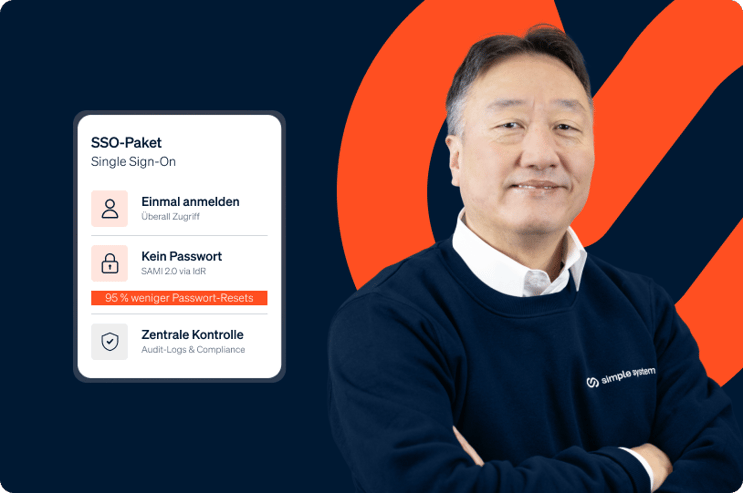
As a consultant, I accompany companies through all departments and ensure that everyone uses simple system optimally. I get to know new people and exciting companies every day.
Keeping an eye on the big picture. Whether in the company or behind the camera.