
Knowing where every euro goes.
1,000+ suppliers
To the supplier overview



















The controlling package gives you full transparency about your purchasing
Automated, error-free account assignment
Full transparency through purchasing analyses
Budget control at every level
All functions in the controlling package at a glance
-
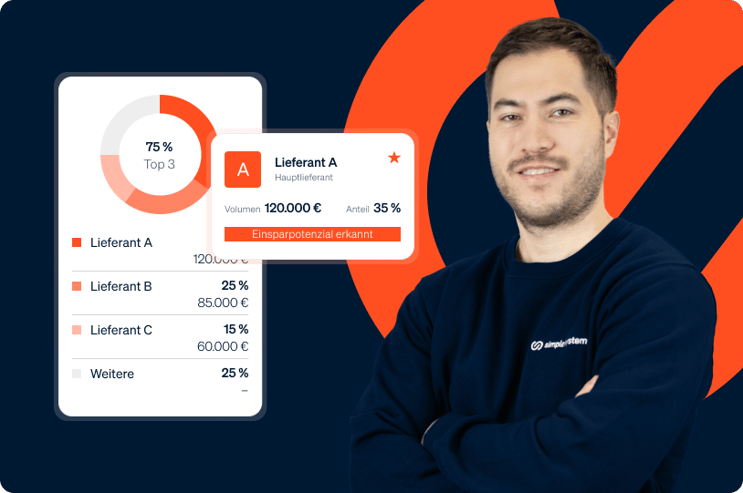
Analyze your purchasing behavior with standard and group reports for data-based decisions and strategic optimization.
-
The purchasing analyses provide you with preconfigured standard reports: order volume by time period, top vendors by spend, distribution by product groups and cost centers. The dashboard shows the most important KPIs at a glance, e.g. total value of orders, average order value, number of transactions and benchmark position. For companies with several locations, group reports are available that enable consolidation across locations. You can decide who has access to these reports and who does not. All reports can be filtered and exported.
-
- Standard reports: order volume, top vendors, category analysis
- Group reports for cross-location consolidation
- Dashboard with KPIs and benchmark comparison
- Filter by period, vendor, category, cost center
- Savings calculator with individual customization
- Export function for all reports
- Warnings: Users without login, missing approval processes, budget utilization
-
Strategic purchasing decisions based on data instead of gut feeling typically save you 5-15% of the purchasing volume. The integrated savings calculator directly shows the savings achieved through the simple system: with an average saving of €60 per order and 45 orders, this results in an annual saving of €2,700+ through process efficiency alone.
Added to this are strategic savings through vendor consolidation and bundling effects, which are only possible thanks to the transparency of the analyses.
And let's not forget your working time, which you can use for more important things.
-
You can create budgets in multiple ways. On the basis of account assignment, on the basis of a user or combined on a user & S2Class basis.
This allows you to easily manage departmental budgets, cost center budgets or personal budgets for e.g. PSA in the system. -
Define budgets per cost center, department or project, with real-time consumption overview and automatic warning if exceeded.
-
Budget management gives you financial control over the entire purchasing process. Create budgets and assign them to cost centers, departments or projects. The current consumption status is updated in real time and adjusted immediately with every order. If a budget reaches a critical threshold (e.g. 85% consumed), the responsible persons see this directly in the management dashboard. Orders are automatically stopped if the budget is exceeded.
-
- Budgets per cost center, department or project
- Real-time consumption display
- Warnings when threshold values are reached
- Automatic order blocking if exceeded
- Dashboard KPI: "Budgets with over 95% consumption"
-
Without real-time budget control, companies only find out about budget overruns at the time of the monthly statement, which is often far too late to take countermeasures. Real-time budgets proactively prevent overruns and hold department heads accountable for their spending. Our customers report 20-35% fewer budget overruns and 15% more accurate financial planning. For a total procurement budget of €2 million, 15% better planning accuracy means potentially €300,000 better allocated resources.
-
Synchronize the cost centers from your ERP system with simple system and enable your users to access projects, construction sites or short-term cost centers.
With automatic synchronization, you only ever have the current cost centres in the system and no longer have to actively manage them!
-
Assign each item to a cost center and ensure transparent budget allocation and exact cost distribution across all departments.
-
Cost centres allow all orders to be assigned to the correct organizational units according to their origin. Each item is assigned to a cost center and a G/L account, G/L accounts automatically based on the S2Class G/L account mapping, or manually when the order is placed. The cost center structure is maintained centrally and can map your existing ERP cost center structure 1:1. Authorized users can select or change the G/L accounts when ordering if they are purchasing for multiple areas.
-
- Central cost center management
- Automatic assignment of the cost center via user/group membership or manually in the shopping cart
- Manual selection/change when ordering
- 1:1 mapping of your ERP cost center structure
- Reporting by cost center
- Integration into approval processes
-
Incorrect assignments of orders to cost centers cost an average of 15-30 minutes of correction work per incident in accounting. With a 5% error rate and 400 orders per month, this means 20 corrections × 20 minutes for you. This corresponds to 7 hours per month of manual rework. Automatic allocation reduces the error rate to less than 1% and saves your accounting department over 80 hours per year.
Even more important: Correct cost center allocation enables precise departmental budgets and immediately identifies cost causers.
-
Automatically assign the correct G/L accounts to items based on the S2Class. This results in a seamless transfer to your financial accounting and error-free postings.
-
G/L account management ensures that each order item is assigned to the correct posting account. Define your G/L account structure analogous to the chart of accounts of your ERP system (SKR03, SKR04 or individual). The appropriate G/L account is assigned automatically or manually when the order is placed. This eliminates time-consuming manual account assignment in accounting and enables automatic transfer to your accounting system.
-
-
Central G/L account maintenance
-
Mapping of common charts of accounts (SKR03, SKR04, individual)
-
Automatic or manual account assignment when ordering
-
Seamless integration into ERP accounting
-
Reduction of manual account assignment work
-
-
Manual account assignment costs you an average of 3-5 minutes per order item. With 400 orders/month with an average of 3 items, that's 60-100 hours of manual account assignment work. Automated G/L account assignment reduces this effort by 90 %. At an hourly accounting rate of €40, you save €2,160-3,600/month. At the same time, the error rate for account assignment is reduced from typically 8% to less than 1%, which eliminates correction postings and year-end closing problems. Your accounting department will thank you.
-
Define your own order number ranges that match your internal system for seamless ERP integration.
-
The order number range allows you to adapt the order numbers generated by simple system to your internal number logic. Define prefixes, start numbers and formatting that match your ERP system and your booking system. In this way you avoid duplicate numbers, simplify allocation and ensure that orders from simple system are immediately recognizable as such in your ERP system. (To guarantee the full range of functions, the ERP package must also be booked).
-
- Individual order number prefixes
- Freely selectable start number
- Formatting to match the ERP system
- Avoidance of duplicate numbers
- Automatic consecutive numbering
-
Consistent order numbers eliminate manual assignment work between simple system and your ERP system. Every missing or incorrect order number assignment costs 10-15 minutes of clarification work. With 400 orders per month and 3% assignment errors, that's around 2.5 hours of avoidable effort per month.
More importantly, error-free number ranges are a prerequisite for fully automatic ERP integration and the associated leap in productivity.
How do I keep track of departmental budgets in purchasing?
As purchasing manager, you are responsible for a total budget of 2 million euros for indirect materials, spread across 8 departments. Until now, you only found out which department had exceeded its budget when the monthly accounts were drawn up. Far too late for countermeasures. The specialist departments have no insight into their consumption status and regularly ask you: "How much do we have left?" Excel-based tracking is prone to errors and always out of date. Last quarter, the IT department exceeded its budget by 40 %, which only became apparent in the quarterly report.
How do I optimize my vendor structure based on data?
Your company orders indirect materials from over 50 vendors, but you don't know exactly how the costs are distributed. Do the orders follow a Pareto logic, where 20% of the vendors account for 80% of the volume? Are there product groups that are scattered across too many vendors and could achieve better conditions by bundling them? Without reliable data, you are flying blind in your negotiations and leaving considerable savings potential untapped.
from 99 € / month for the use of the controlling package
Your indirect procurement goes live in 30 days.
We tell you which building blocks you can leave out.
At the end you have a clear picture of the next steps, costs and opportunities. After that you test for free, no credit card.
"The integration into our SAP ERP® went smoothly." Andreas Wallny, Vulkan
New colleagues don't ask how the system works - they simply say: Please create an account for me. That speaks for itself.

Change needs strong partners: We accompany you personally.
I make sure that customers know where they stand from the very first moment: with a platform that not only digitizes procurement, but really simplifies it.
Transparency creates trust. This applies to our prices as well as to everything we do.

Fabian von Kleinsorgen
Fabian von Kleinsorgen shows you how simple system can work for you.